The objective of this recruitment assignment was to create a user interface for a new second-hand web store that is run by a company called XYZ. It should be demonstrated how a seller can list a product using a mobile device. The design should be engaging, and using the web store should be simple. Also, the site should be distinctive from XYZ’s already existing web store.
Problem definition
The aim was to create a user interface that demonstrates how a seller can list an item on XYZ’s new second-hand store using a mobile device. While designing the user interface, three key questions were considered:
How to keep sellers (and buyers) engaged in the new web store?
How to communicate the distinction between the second-hand web store and XYZ’s existing web store?
How to make the listing process as straightforward as possible for sellers?
Ideation
Engagement
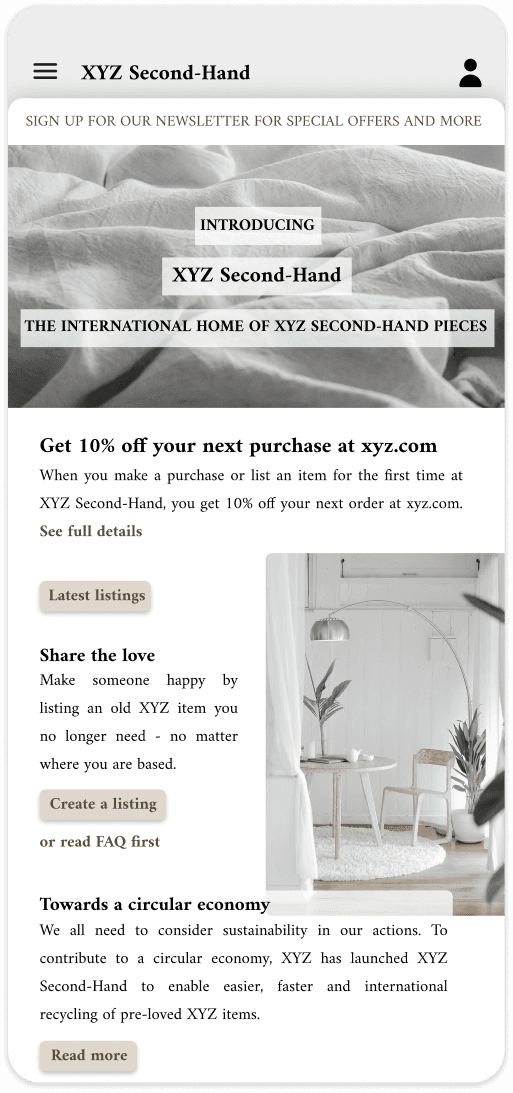
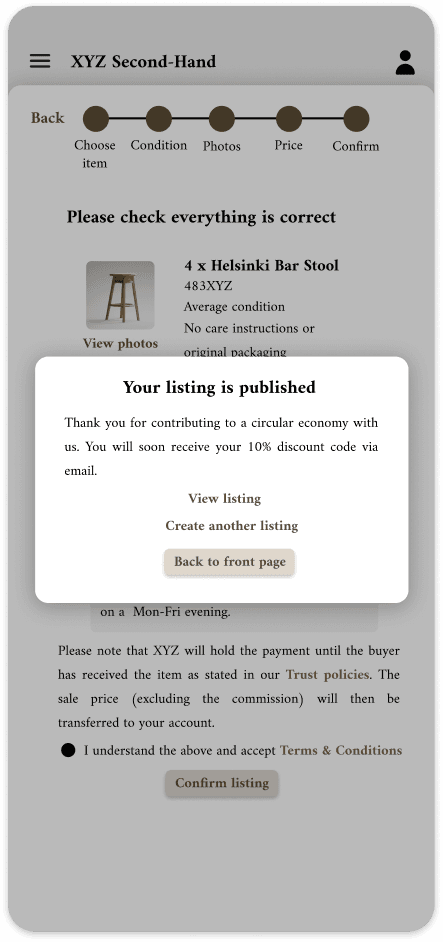
Engagement can be increased through incentives such as discounts on future XYZ purchases after a user’s first listing or purchase. This encourages continued use and drives traffic to the main store. Newsletter sign-ups (e.g. for discounts or new listing alerts) also help retain users.
Distinction between the two stores
The second-hand store should be clearly distinguishable yet recognisable as part of XYZ. A name like XYZ Second-Hand and highlighting sustainability goals help communicate its purpose.
Listing process
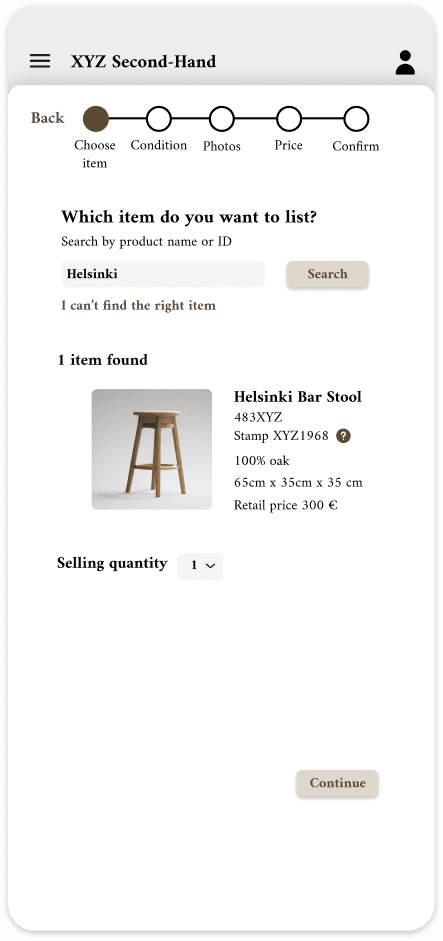
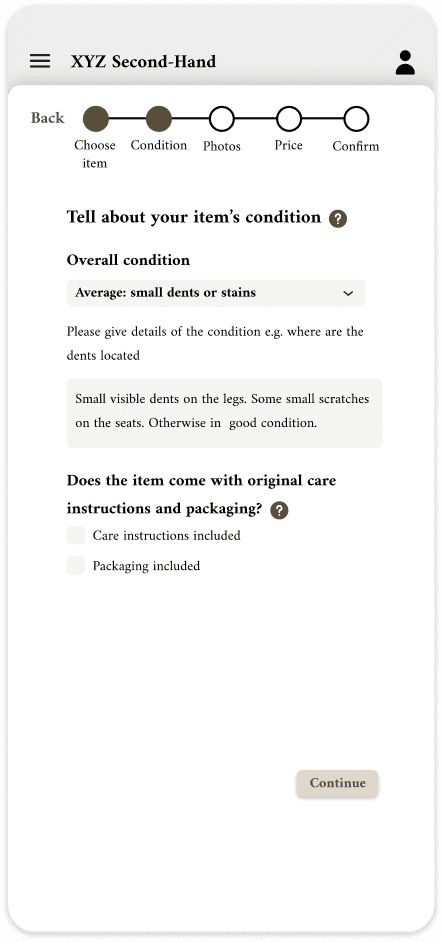
The listing process should be quick, clear, and easy to access. Progress indicators can support user control, while flexible item identification (e.g. by name or ID) improves usability. Clear condition categories with optional details are important.
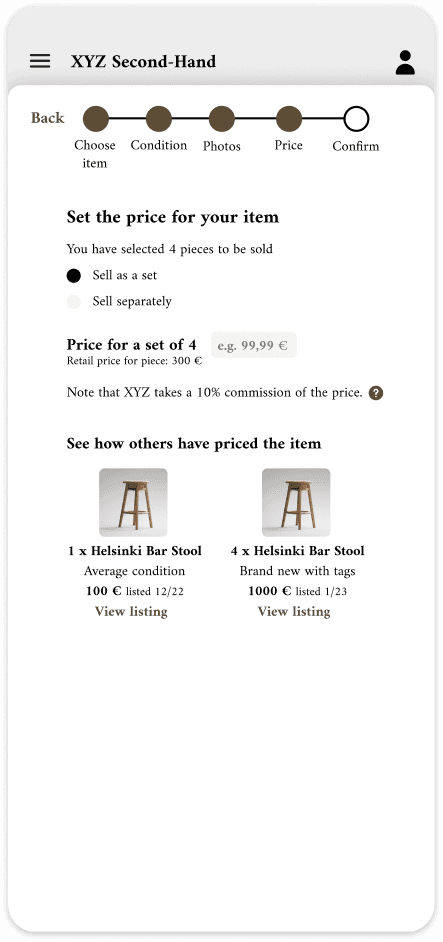
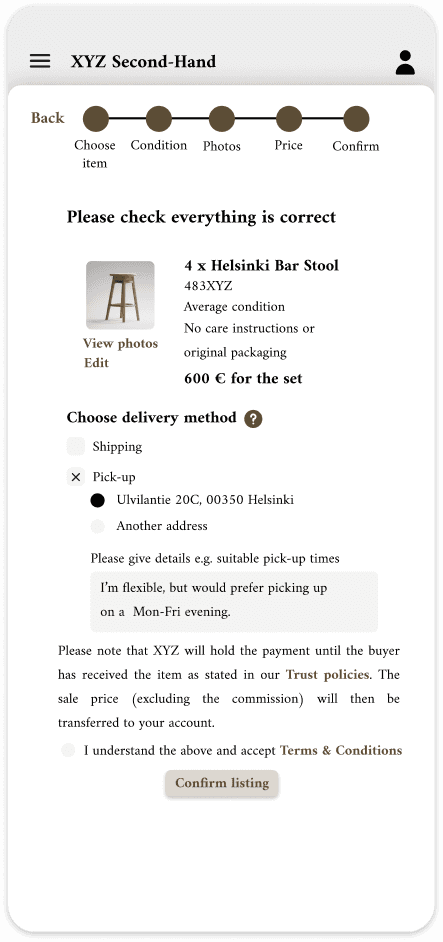
Transparency builds trust: commissions and payment processes must be clearly communicated. Overall, the process should be simple, with minimal steps and support available if needed.
Design creation
Minimalistic design
A clean, minimal interface reduces cognitive load, improves performance, and aligns with the brand’s high-quality aesthetic. It also ensures consistency with the existing web store.
Easy entry to listing
A prominent Create a listing button on the front page makes it easy for sellers to get started without unnecessary navigation. Supporting text and incentives (e.g. discounts) encourage action, while keeping content concise avoids clutter.
Clear structure and trust
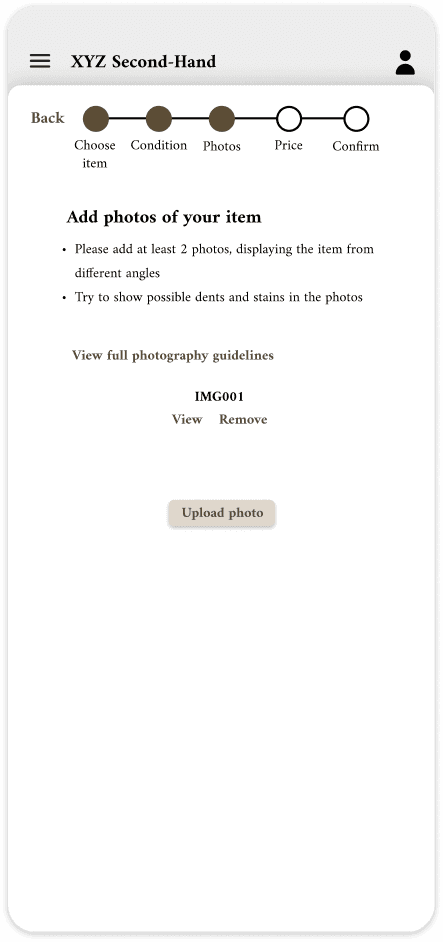
The listing process is split into simple steps with consistent layout and progress indicators, giving users a sense of control. Key information, such as commission, pricing guidance, and payment security, is communicated clearly to build trust.
Guidance and support
Users are supported with examples, tooltips, and optional help links at key stages. Required fields guide progress, while additional resources (e.g. FAQs, policies) are easily accessible.
Efficiency and flexibility
The process allows easy editing, clear confirmation, and smooth continuation after listing. Sellers can define item details flexibly (e.g. sets vs individual items), making the experience both efficient and user-friendly.
Outcome
The final design focuses on usability and lowering barriers to entry for sellers by making the listing process quick, clear, and accessible. Trust-building elements and transparent communication address common concerns around second-hand transactions. Together, these decisions support increased engagement and create a cohesive experience aligned with XYZ’s brand and sustainability objectives.
Key learnings
This project was completed early in my UX journey, at a time when I was highly motivated but still developing my design skills. Looking back, I would now approach the assignment differently, placing a stronger emphasis on clarity and usability over visual styling.
At the time, I focused more on creating a visually appealing interface, whereas today I would further simplify the user interface, reduce unnecessary elements, and prioritise ease of use throughout the flow. That said, my decisions were well grounded in UX principles. For example, the use of a stepper to guide users through the listing process and clearly communicate their progress.
Overall, this project reflects both my early enthusiasm and the foundation of my UX thinking, while also highlighting how my approach has evolved towards more user-centred and usability-focused design.